Custom Alerts with Slack Integration
New Feature
We're excited to announce Custom Alerts - a powerful new feature that lets you stay on top of your SEO performance without constantly checking your dashboard.
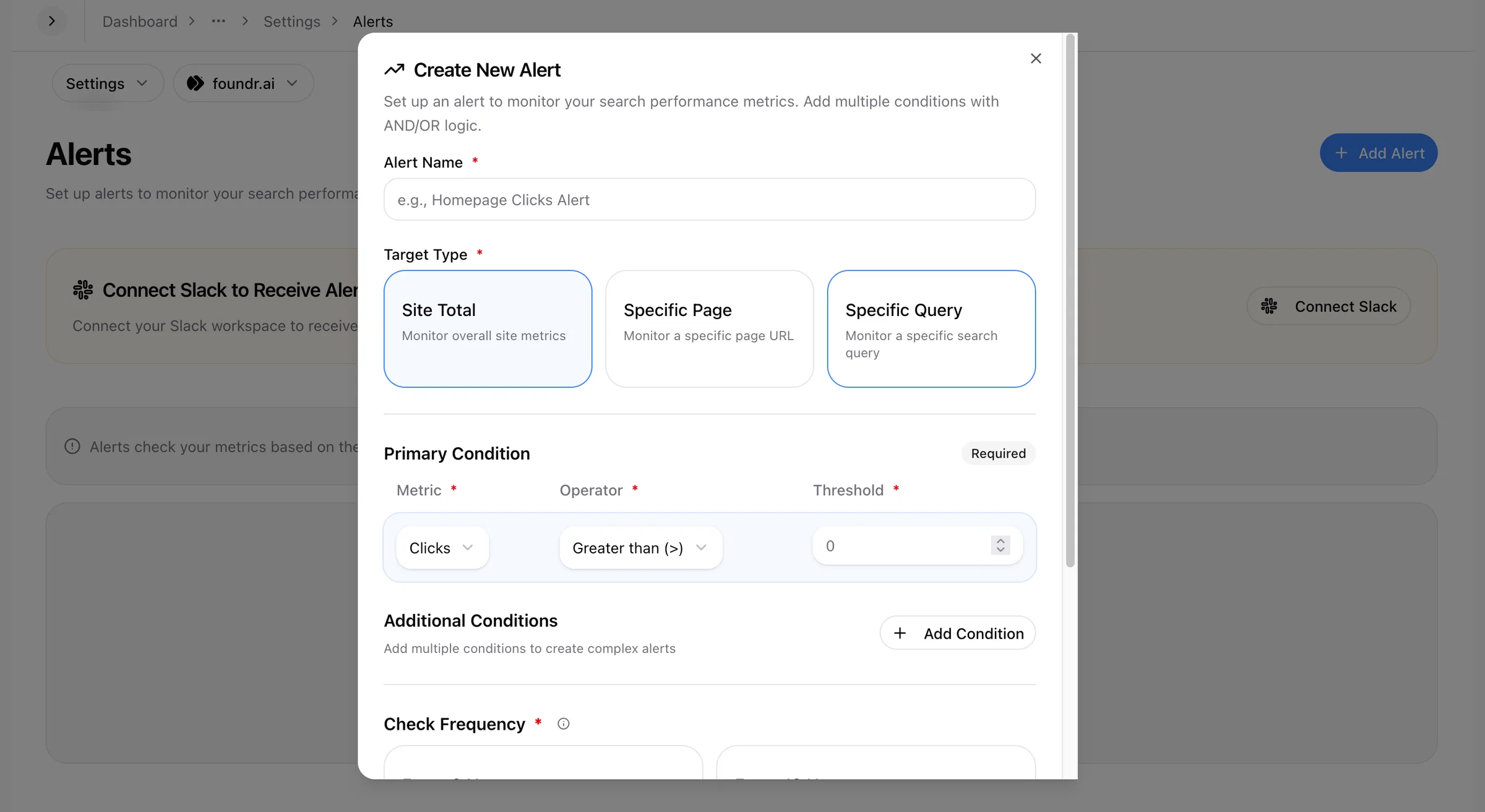
What's New?
Set up personalized alerts for any keyword or metric and get instant notifications delivered directly to your Slack workspace. Whether a keyword drops out of the top 5 or your impressions hit a milestone, you'll know about it immediately.
Key Features:
- 🔔 Custom Trigger Conditions — Define your own rules. Get notified when a keyword position drops below a threshold, when clicks spike, or any other metric you care about.
- 💬 Slack Integration — Connect your Slack workspace and choose exactly which channel should receive each alert. Keep your team informed in real-time.
- 📊 Multiple Alerts — Set up as many alerts as you need. Track different keywords with different conditions — all customized to your workflow.
- ⚡ Instant Notifications — No more manual checking. Alerts are sent automatically when your conditions are met.
Example Use Cases:
- Alert when your target keyword drops below position 5
- Notify the team when a page loses significant impressions
- Track when competitors' pressure pushes your rankings down
- Monitor CTR drops that might need attention
How to Set It Up:
- Navigate to Dashboard → Property → Settings → Alerts
- Click "Create New Alert"
- Select your metric and set your trigger condition
- Save — and you're done!